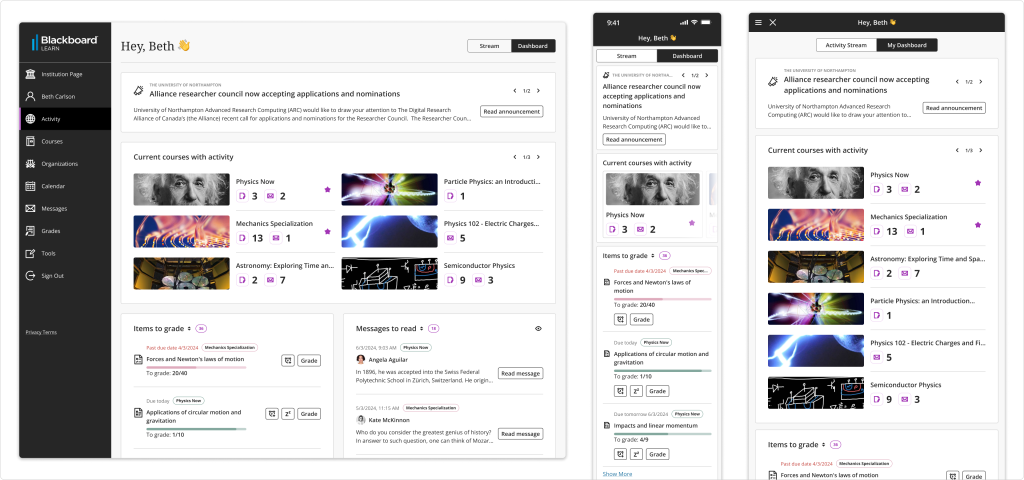
I designed a place where instructors can manage their teaching responsibilities efficiently.
Problem
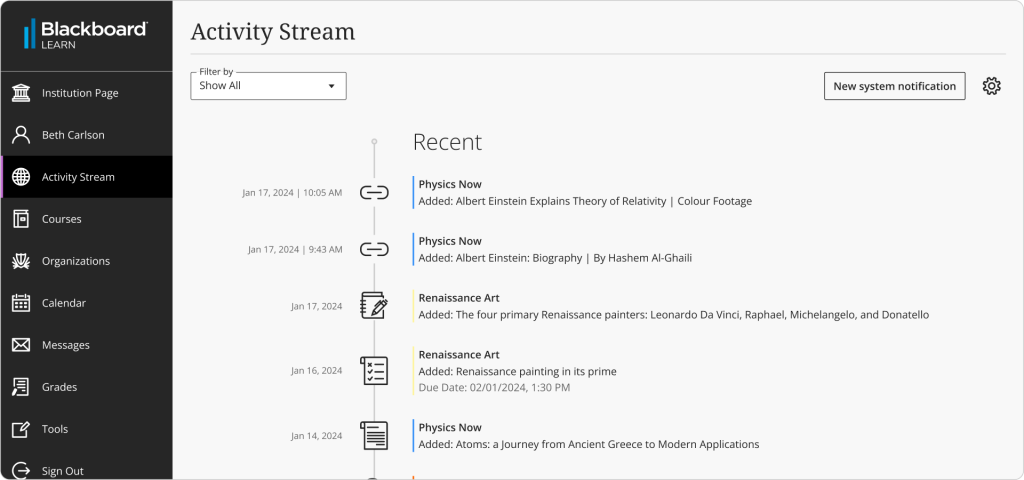
Our activity Stream is one of the 3 initial pages a user can see. This is set but the institution. However, We’ve identified some usability issues that reduce the use of this page, the satisfaction with the LMS and the trust of our users in the system.
With the current Activity stream, users are lacking a place where they can see relevant information to them and easily act or made decisions based on it. Which is key in their day to day interactions with the system.
Main issues with the current Activity Stream
- Too much information in a single place.
- Wrong information that doesn’t help them take next steps.
- Lack of hierarchy in the page
- Information that can’t be trust
- Configuration is not easy and intuitive
- Page performance, can be too slow with a lot of information
- Lack of management of old/not relevant anymore notifications
- Difficult to identify what’s happening inside each course
“Perfection is achieved, not when there is nothing more to add, but when there is nothing left to take away.”
Antoine de Saint-Exupéry, aviator and poet
Iteration is essential in design
First exploration
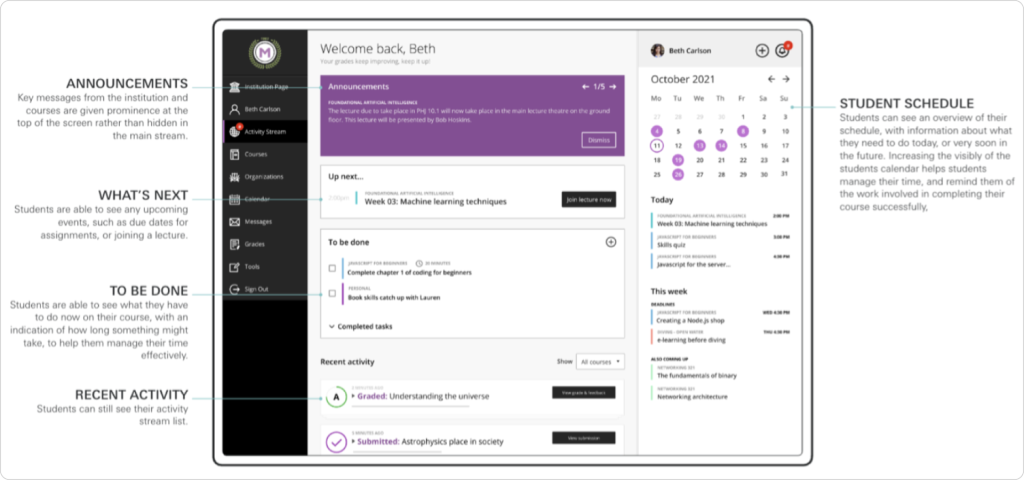
📎 This is a customizable approach with more complexity for delivery, one of the first extra explorations. (You can navigate with the keyboard arrows)
What we learned?
Positive feedback:
- Seems modern
- Includes relevant information: Up next, To Do, Announcements
- Less scrolling
Negative feedback:
- Might lost focus of the actual base nav
- It is not easy to identify the course
Questions/expectations:
- Personalization: users expect to be able to move and select the widgets they want to add to their page.
- How are things in the page selected to be displayed? Up next items with the same date?
- Institutional information should be easily differentiated from the Course information
Second exploration
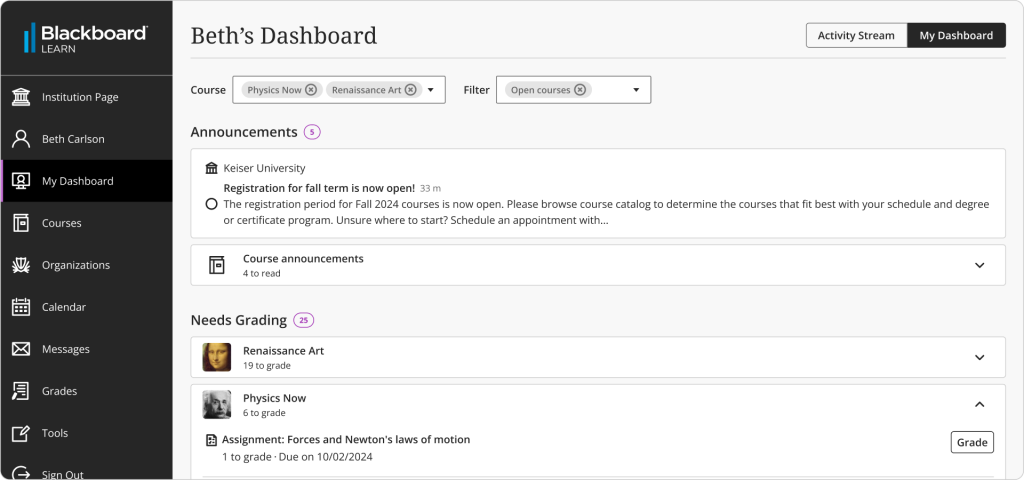
What we learned?
Positive feedback:
- Easier to identify courses
- Needs grading is a basic need when they come into the platform
- Easier to move between courses and terms
- Way to clean up announcements to not have too much information
Questions/expectations:
- Institutional choice whether to allow “mark as read”
- Retention information
- Upcoming due dates to students, instead of needs grading
- Option to reorganize the modules
- Should we include the option to send reminder?
- Needs grading also within a course
Third exploration
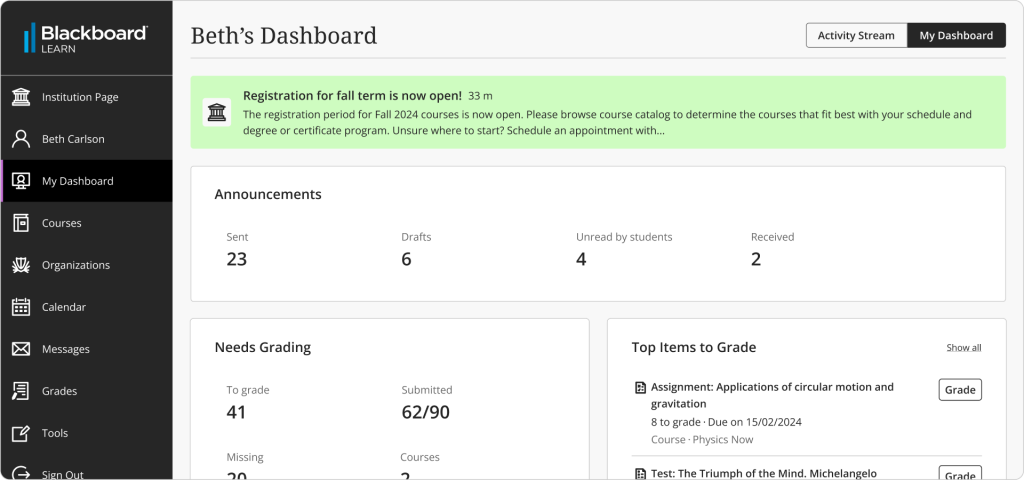
What we learned?
Positive feedback:
- Institutional announcements shown up front to users
- A more dashboard look, that seems to provide the option to quickly scan how things are going
Improvement areas:
- Impossible to identify per course information
- Not clear CTAs
- Not enough information shown
And lots of more explorations and learnings
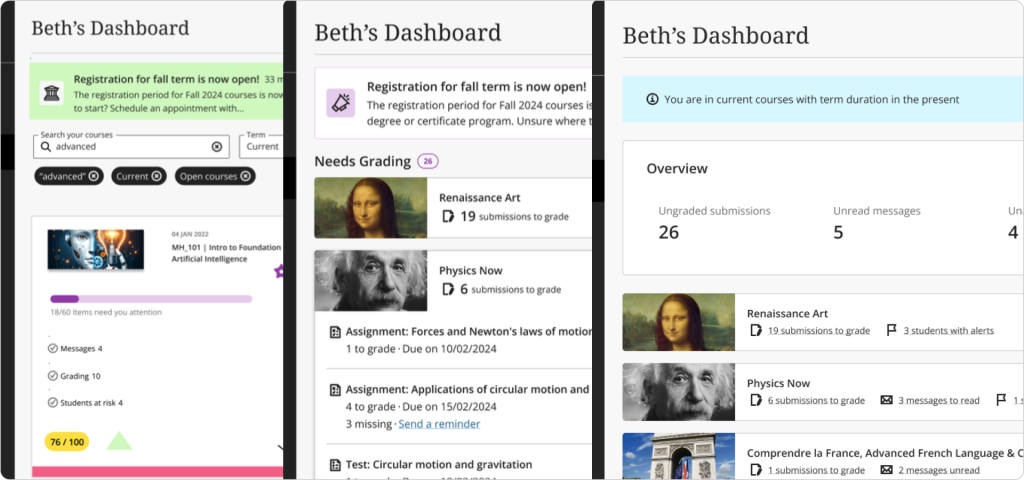
What did we do next?
- After conducting a workshop with the team, PMs, engineers, and designers, we defined our first milestone based on the gathered insights.
- We defined follow-up items, responsibilities, and timelines for each of them

Based on research and alignment with other initiatives, the team reached the following agreements for the first milestone:
- Instructor Focus: The initial dashboard milestone will prioritize instructor needs and use cases.
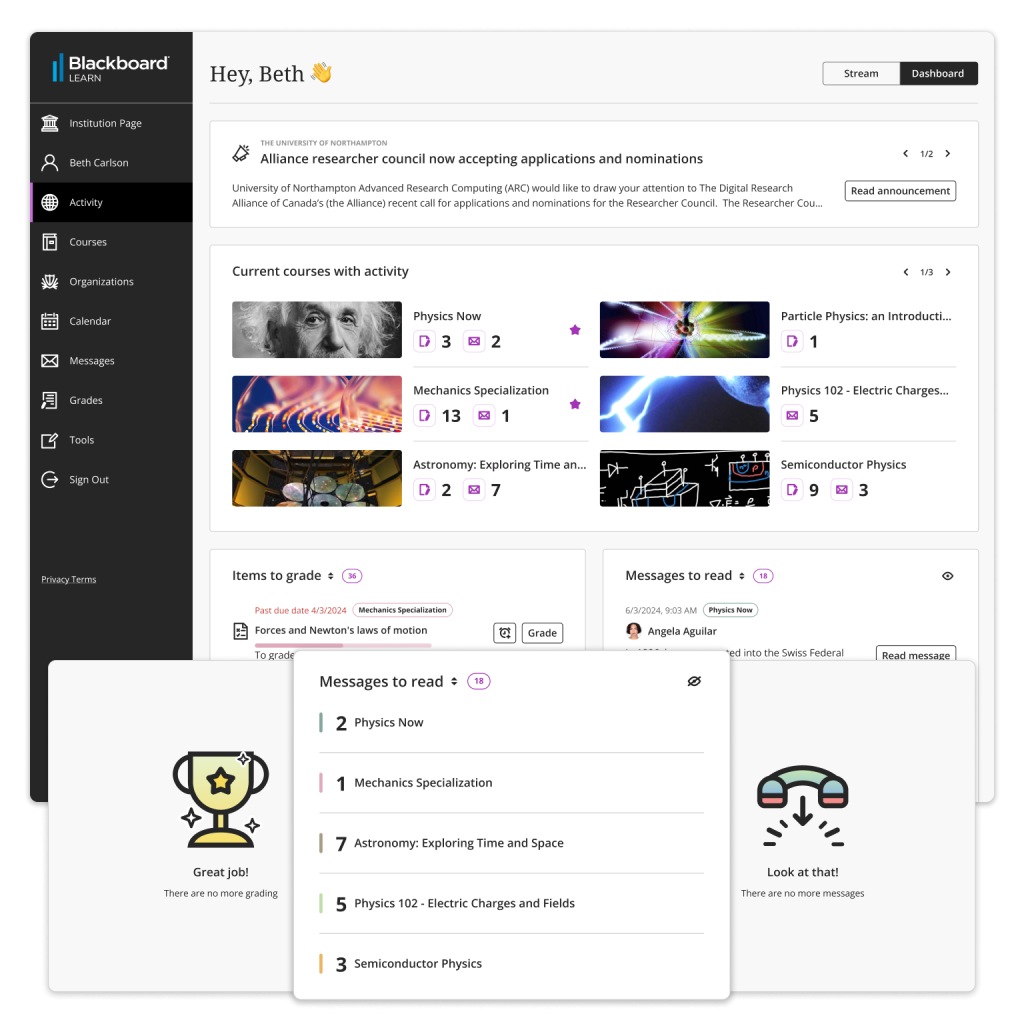
- General Course Activity: Key pain points for instructors include accurately identifying items that need grading and having better visibility into unread messages.
- Course Identification: Courses will be easily identifiable.
- Development Approach: The dashboard will be developed behind a client-facing feature flag (FF) and coexist with the Activity stream until stability is confirmed. This approach also allows us to gather data on usage for both pages.

Outcomes 📖
- Global Announcements:
- Instructors can view global announcements created by their institution.
- Course Overview:
- Quick summary of all courses with activity.
- Grading and messages numbers per course.
- Grading Efficiency:
- Identify pending grading tasks.
- Highlight high-priority items.
- Messages Management:
- Track unread messages.
- Prioritize urgent messages.
- Efficient Teaching:
- Access critical information promptly.
- Manage teaching responsibilities effectively.